Hire Your First Agent
An agent isn't just "an AI". It's a configuration — a specific role, with a specific AI system powering it, operating under a specific budget, with defined rules for when and how it wakes up and works.
When you hire an agent, you're telling Paperclip: which AI system should run this agent, what role does it play in the company, and what constraints does it operate within. The AI itself (Claude, Codex, etc.) lives outside Paperclip. Paperclip is the management layer above it.
The CEO is always the first agent you create. It has a special role: reading the company goal, proposing a strategy, creating tasks, and delegating work to its reports. Nothing in your company moves until the CEO is running.
Before you start
You'll need:
- A company already created (see Create Your First Company)
- An API key from Anthropic (for the
claude_localadapter) or OpenAI (forcodex_local) — see the Installation guide for how to get one - For
claude_local: Claude Code installed on your Mac
Open the Agents page and click "New Agent"
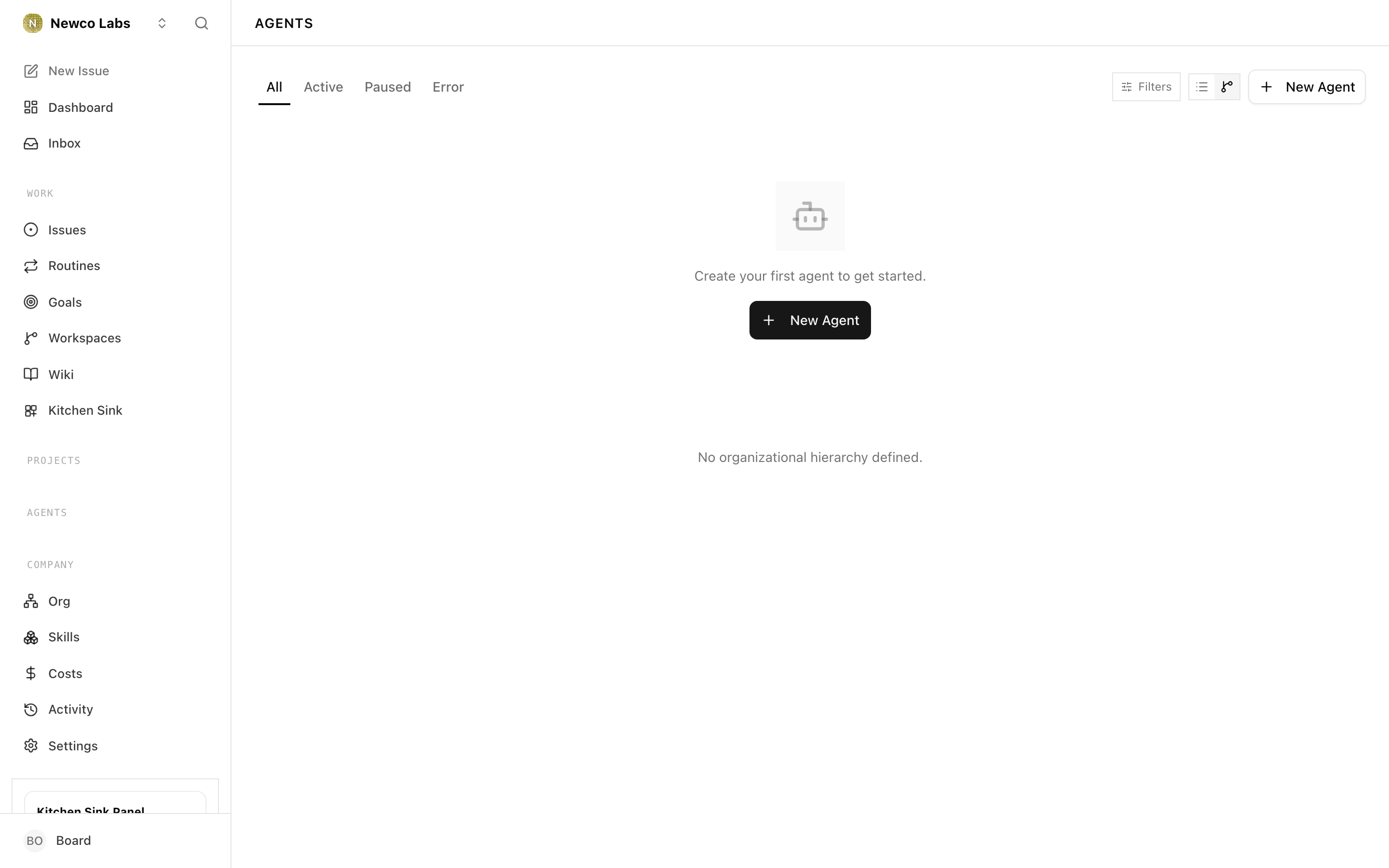
In the sidebar, click Agents. If this is your first agent, you'll see an empty list with a prompt to create one. Click New Agent.
Set the agent's name
Give the agent a name (e.g. "CEO"). If this is your first agent, Paperclip automatically makes it the CEO.
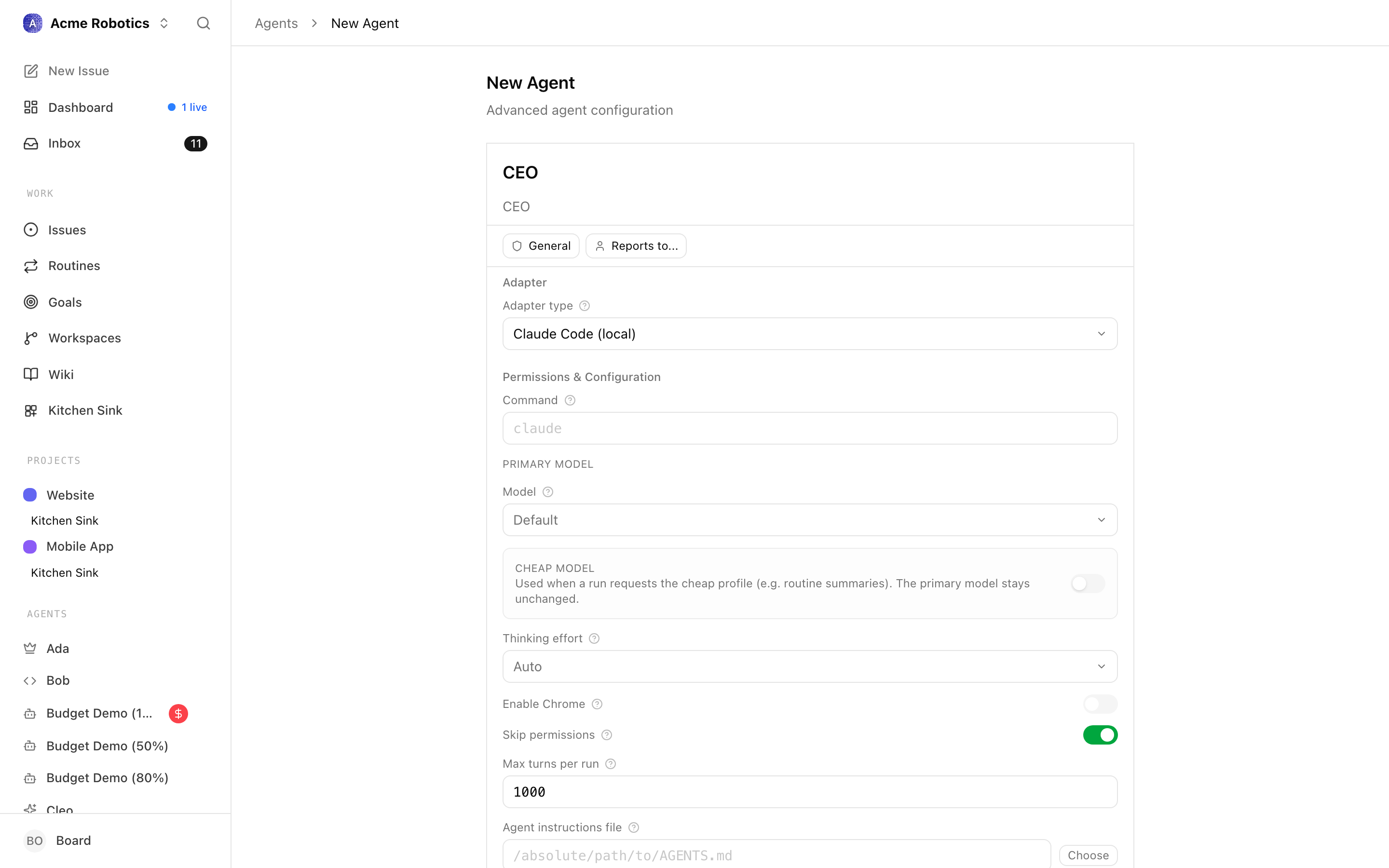
The CEO role is special: it has no "Reports To" field, because the CEO reports directly to the board — to you. Every other agent you hire later will have a "Reports To" field where you (or the CEO) assigns a manager.
Choose an adapter
An adapter tells Paperclip how to run your agent. Click the Adapter Type dropdown to see your options.
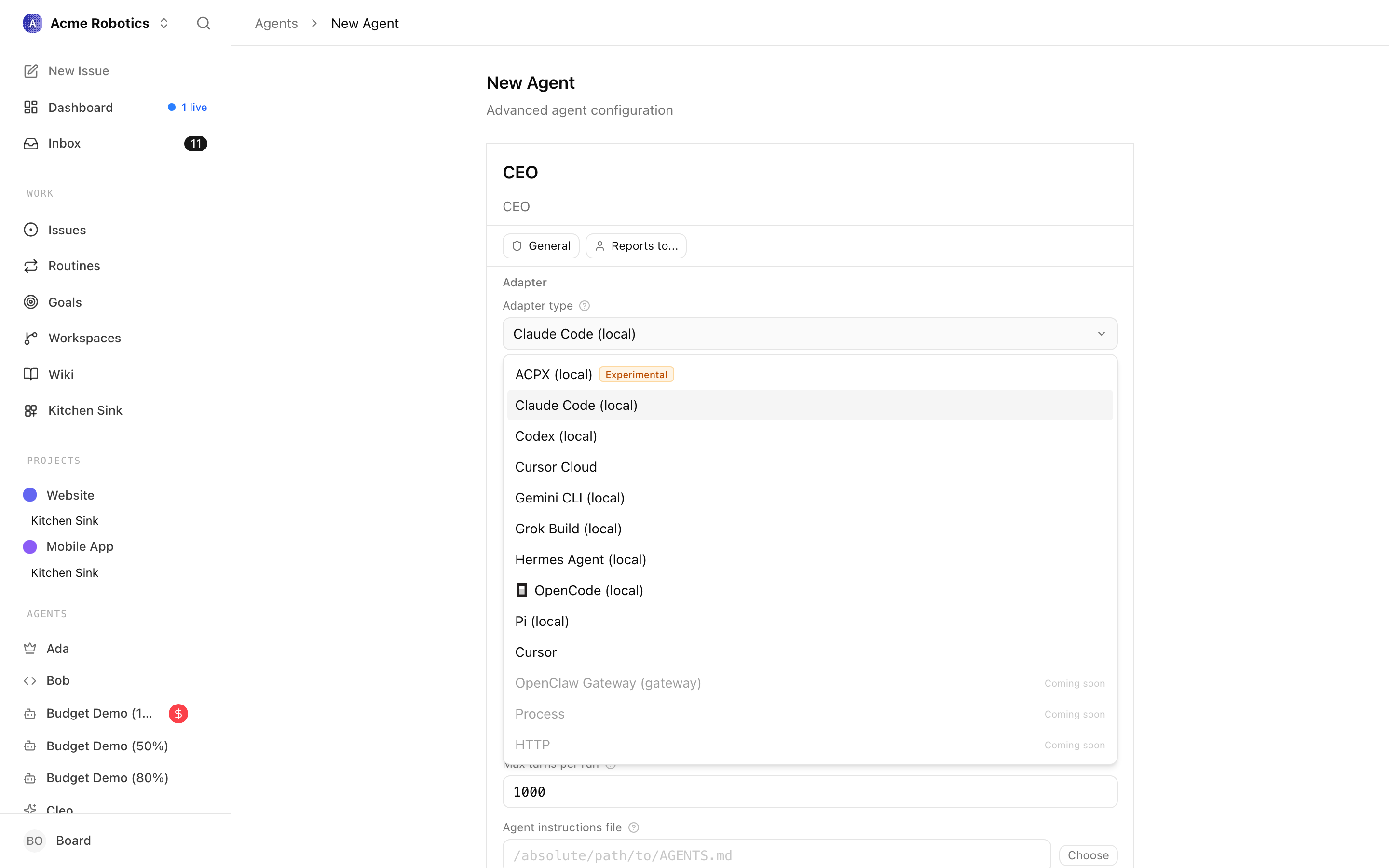
Claude Local runs a Claude Code agent directly on your Mac. The agent has full access to your filesystem in its working directory, can run terminal commands, write and edit files, and call the Claude API on your behalf.
This is the most capable and most commonly used adapter for Paperclip agents.
Prerequisites: Claude Code must be installed on your Mac. If you haven't installed it, follow the Claude Code installation guide — it's a separate Anthropic product. Come back here once it's installed.
Configuration fields:
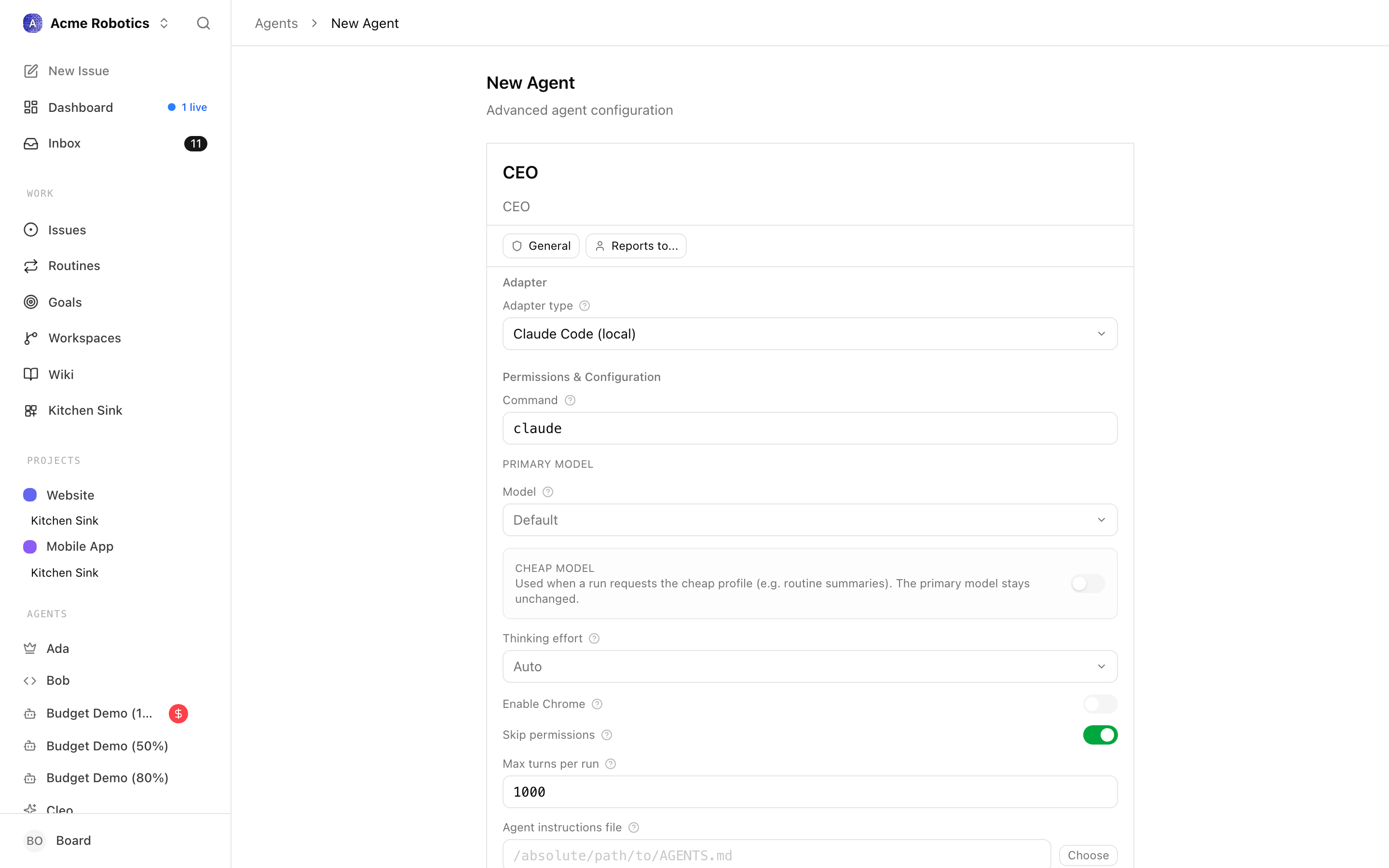
Working directory — The folder on your Mac where the agent will do its work. This is where files get created, edited, and read. If you're not sure what to use, create a folder called
paperclip-workspaceon your Desktop and paste that path here (e.g./Users/yourname/Desktop/paperclip-workspace).Model — Which Claude model powers this agent.
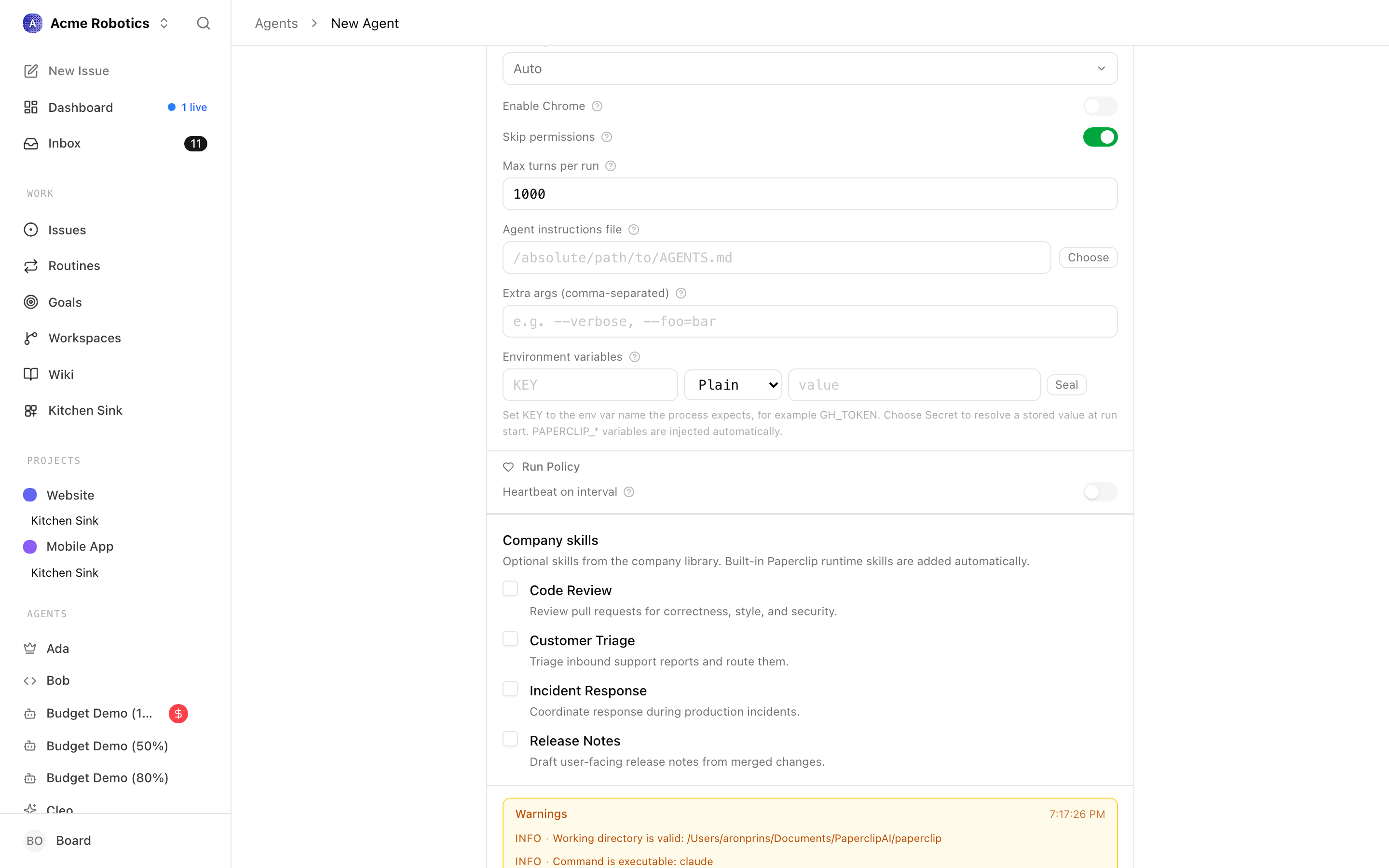
claude-opus-4-6is the most capable and best for strategic roles like the CEO.claude-sonnet-4-6is faster and cheaper, and works well for more routine tasks.Environment variables — Add
ANTHROPIC_API_KEYand either paste the key as a plain value or store it as a Paperclip secret. This is how the adapter gets access to Claude.Test environment — Use this button to confirm Paperclip can see Claude Code and that your
ANTHROPIC_API_KEYbinding works before you create the agent.
Tip: If you're unsure about the working directory, create a new folder called
paperclip-workspaceon your Desktop. Use that path until you decide on a better home for your agents' work.Codex Local runs an OpenAI Codex agent directly on your Mac. Like
claude_local, it has access to your filesystem and can run commands within its working directory — but it's powered by OpenAI's models rather than Anthropic's.Prerequisites: You'll need the OpenAI Codex CLI installed. Check the OpenAI documentation for installation instructions.
Configuration fields:
Working directory — The folder on your Mac where the agent will do its work. Create a folder called
paperclip-workspaceon your Desktop if you don't have a preferred location.Model — Which OpenAI model to use.
gpt-5.3-codexis the default and a sensible starting point for a CEO agent.Environment variables — Add
OPENAI_API_KEYand either paste the key as a plain value or store it as a Paperclip secret.Test environment — Use this button to verify the adapter can see your OpenAI key binding before you create the agent.
Configure the heartbeat interval
The create form's run policy is deliberately simple: you can decide whether this agent runs on an interval, and how often.
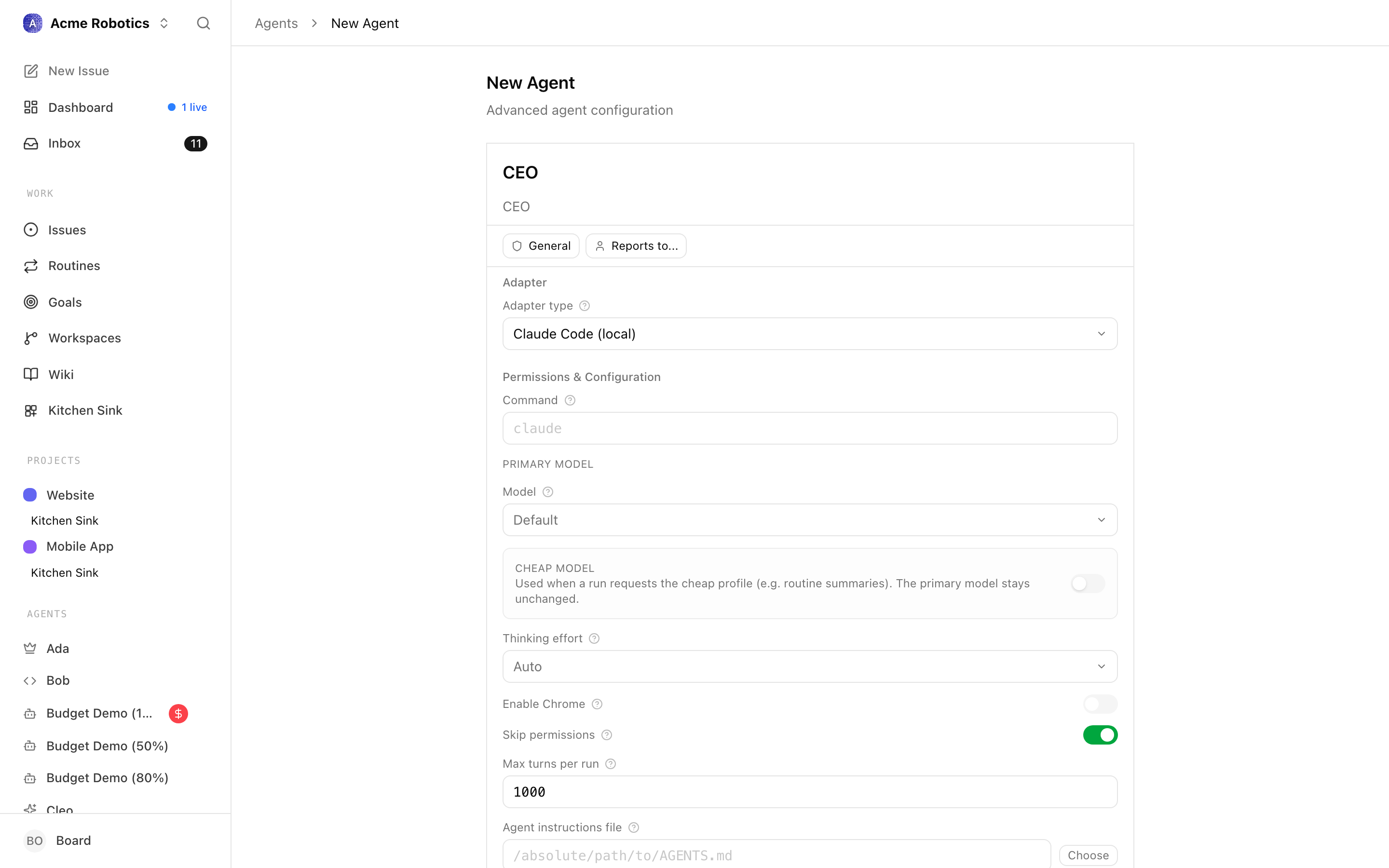
For a CEO, once per hour is a reasonable starting cadence. You can make it faster later once the company is active and you have a feel for the cost.
Tip: Don't set the interval too short early on. Every heartbeat costs money. For a CEO, once per hour is a good starting point. You can increase frequency later once you understand your company's rhythm.
Create the agent
Click Create agent. Paperclip creates the agent and takes you to the agent detail page. You should see the agent with a status of idle — meaning it's configured and ready, but hasn't fired a heartbeat yet.
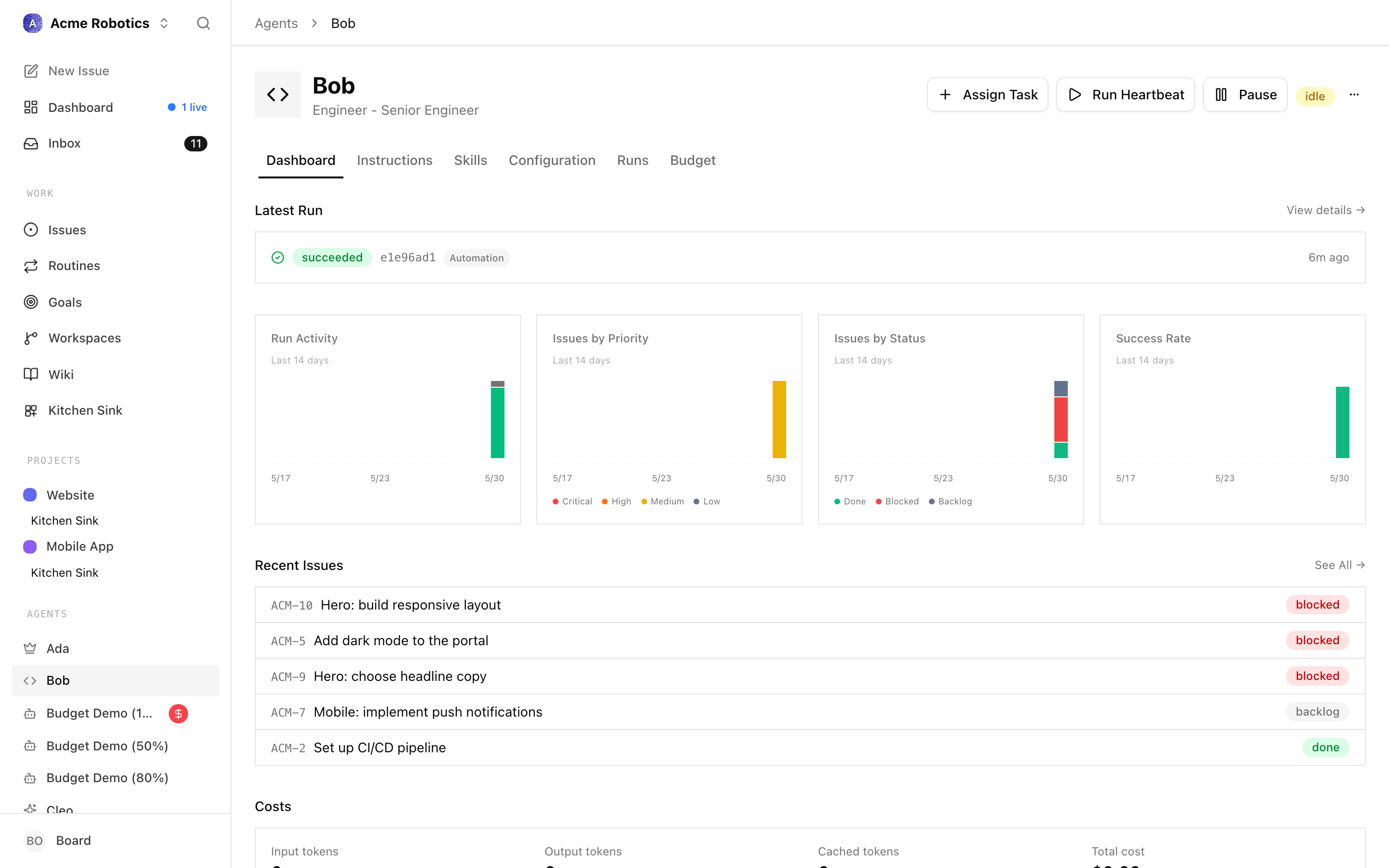
The heartbeat is disabled by default when you first create an agent. You'll enable it in the next guide, once you're ready to let the CEO start working.
Set the budget after creation
Budgets are configured after the agent exists. Open the agent's Budget tab and set a monthly cap that fits the role.
Warning: The CEO is typically the most active agent — it runs on every heartbeat and does more complex reasoning than worker agents. Budget it slightly higher than you would a worker. $30–50 per month is a reasonable starting point for a CEO. You can always adjust this later.
Remember: this agent budget is separate from the company budget. Both apply — if either limit is reached, the agent pauses.
Test the environment again if needed
Before enabling the CEO's heartbeat, you can verify that the adapter is configured correctly. On the agent detail page, click Test environment.
Paperclip will attempt to connect to the adapter — in the case of
claude_local, it will check that Claude Code is installed and accessible, and that the environment variable binding is valid.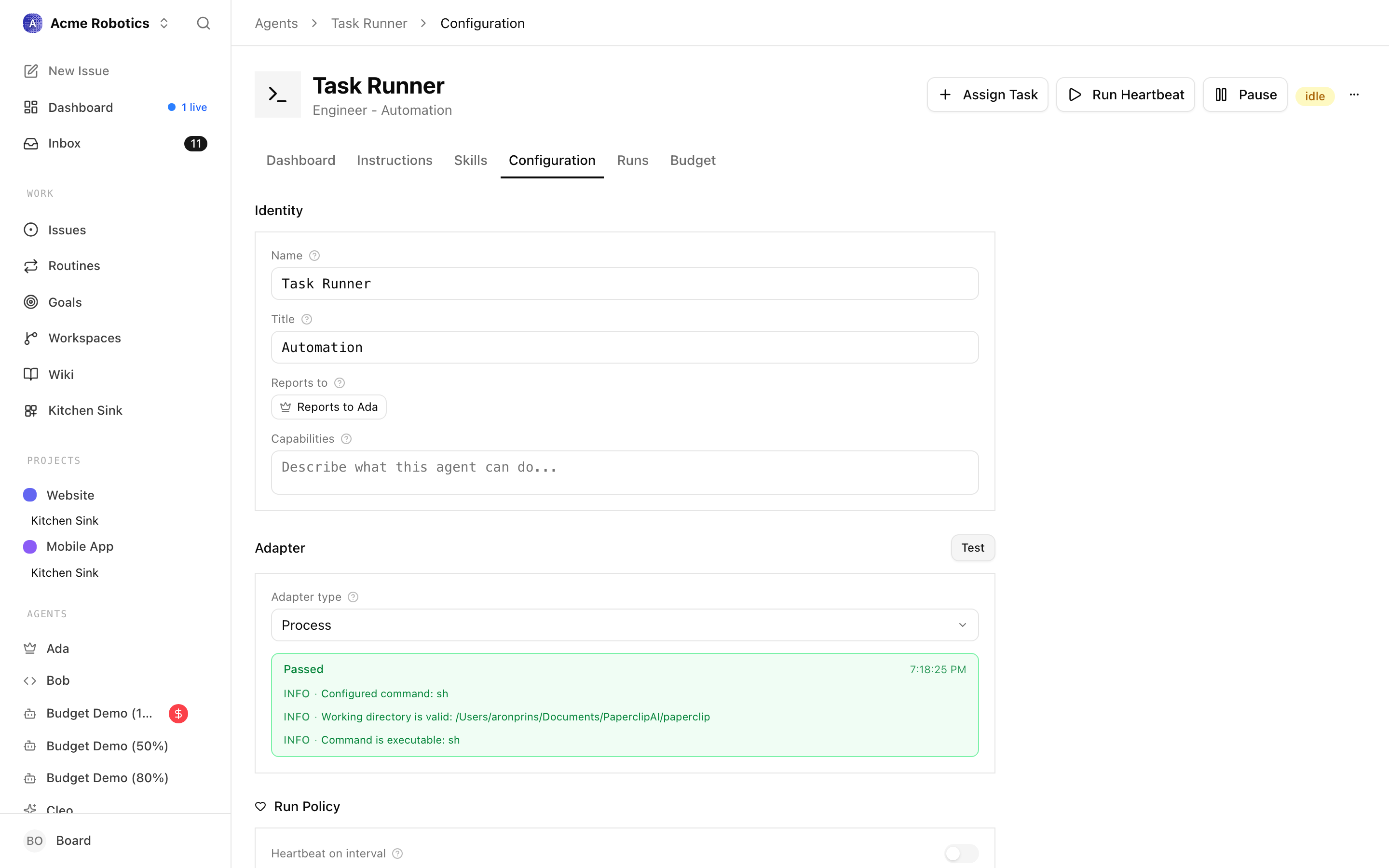
If the test succeeds, you're ready. If it fails:
See the troubleshooting section below.
Troubleshooting
"Test Environment" fails
The two most common causes:
- The environment variable binding is wrong — double-check that you've set
ANTHROPIC_API_KEYorOPENAI_API_KEY, and that the value itself is correct with no extra spaces. - Claude Code isn't installed, or isn't at the path Paperclip expects — confirm you can open Claude Code from your Mac independently of Paperclip.
Agent shows "error" status after its first heartbeat
Open the Runs tab on the agent detail page, then click the most recent run. You'll see a full transcript of what happened. Error messages in the transcript will point to what went wrong.
Budget immediately shows near 100%
This usually means the model name is invalid and the API is returning error responses that still count against usage, or the bound API key doesn't have available credits. Verify the model name matches exactly what your AI provider supports, and check your API provider's billing page to confirm your account has credit.
Your CEO agent is configured. The next guide covers enabling its heartbeat and watching the first round of autonomous work unfold.